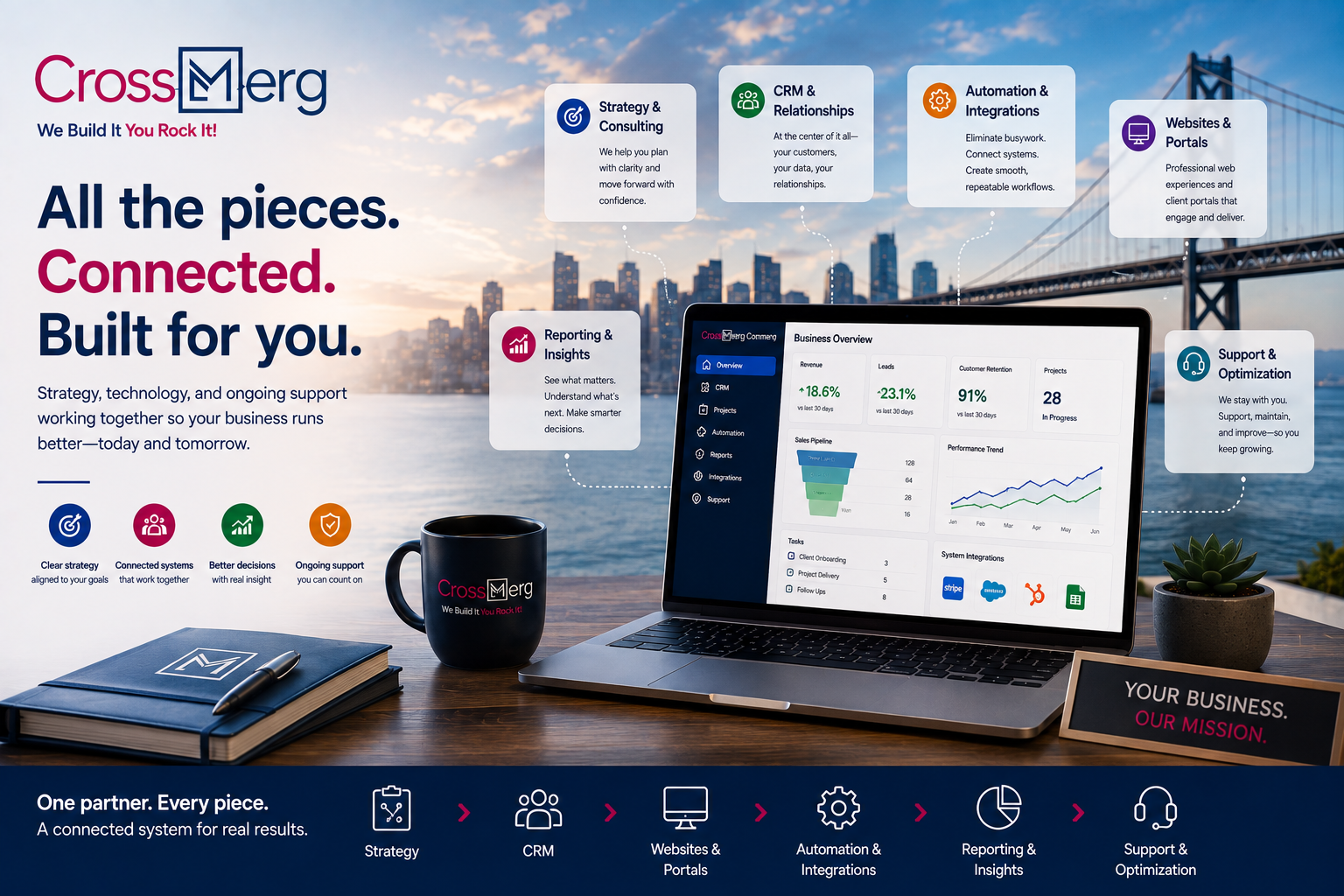
Services

Strategy • CRM • Websites • Automation • Client experience • Support

Find the part of your business that needs relief first.

CrossMerg helps small service businesses plan, build, connect, and support the systems behind better customer experiences. Start with one practical improvement, then connect more when it is useful.

Start with one priority Keep what already works Connect more over time

CrossMerg service map

Plan it. Build it. Connect it. Keep it working.

You do not need to choose from a pile of disconnected products. Start with the type of help your business needs now, then move into the detailed service page that fits that goal.

Plan

2 service areas

Choose the right starting point.

Clarify what should change first, what should stay in place, and how the next investment should support the way your business actually works.

Practical outcome Clarity before investment

Business Strategy & Consulting

Turn business goals, operational friction, and technology choices into a practical roadmap.

Explore strategy & consulting
Practical outcome A confident first rollout

Sales & Onboarding

Explore CrossMerg, plan the first rollout, and choose an implementation path with clear expectations.

Explore sales & onboarding

Build

4 service areas

Create the core experience.

Build the CRM, website, and client-facing experiences that give your team and customers a clearer way to move through the work.

Practical outcome A usable CRM foundation

CRM Implementation

Configure the people, pipeline, processes, permissions, and handoffs that make a CRM useful day to day.

Explore CRM implementation
Practical outcome Connected customer context

Customer Relationship Management

Create a connected system for leads, customers, communication, work history, and long-term relationships.

Explore CRM services
Practical outcome A stronger path to inquiry

Website Services

Build or improve the website that introduces your business, captures useful context, and moves people into the right next step.

Explore website services
Practical outcome A clearer client experience

Client Portals

Give clients one professional place to review work, approve decisions, access documents, and stay informed.

Explore client portals

Connect

3 service areas

Make the parts work together.

Reduce repeated entry, missed handoffs, and disconnected reporting by connecting systems around dependable workflows.

Practical outcome Less repeated routine work

Workflow Automation

Use focused triggers, assignments, reminders, approvals, and follow-up to move routine work forward consistently.

Explore workflow automation
Practical outcome Cleaner system handoffs

Integrations

Connect the software your team already depends on so useful information can move without constant copy-and-paste work.

Explore integrations
Practical outcome Better operational visibility

Reporting & Business Intelligence

Turn operational and customer data into practical visibility for pipeline, revenue, delivery, retention, and decision-making.

Explore reporting & BI

Operate & improve

4 service areas

Keep the system useful after launch.

Support the platform, infrastructure, team adoption, and next improvements so the system stays dependable as the business changes.

Practical outcome Ongoing platform stewardship

Managed CRM Services

Get ongoing help managing configuration, workflows, user needs, platform changes, and practical improvements.

Explore managed CRM services
Practical outcome A dependable technical foundation

Cloud Hosting & Infrastructure

Keep the technical foundation monitored, maintained, and aligned with the systems your business depends on.

Explore hosting & infrastructure
Practical outcome Reliable help after launch

Ongoing Support & Maintenance

Handle fixes, maintenance, updates, questions, and improvements without turning every issue into a new project.

Explore support & maintenance
Practical outcome Stronger adoption and improvement

Customer Success

Support adoption, training, reviews, optimization, and the next useful phase after the initial work is live.

Explore customer success

Where should I start?

Choose the situation that sounds most like today.

You can enter the CrossMerg service system from more than one place. The right first step is the one that resolves the clearest current constraint.

Best first move Map the problem before choosing the tool

I know something needs to improve, but I am not sure where to begin.

Start by mapping the business problem, current tools, constraints, and the smallest change likely to create meaningful relief.

Start with strategy
Best first move Establish one clear CRM foundation

Our leads, customers, and work are difficult to keep organized.

Start with the CRM foundation and the process around it so people, history, next steps, and ownership are easier to see.

Start with CRM implementation
Best first move Fix the handoffs between systems

Our systems work, but they do not work together.

Start by mapping the handoffs between tools, then connect or automate only the steps where it will make the workflow more dependable.

Start with integrations
Best first move Stabilize and support what already exists

We already have systems in place and need dependable ongoing help.

Start with support or managed CRM services when the priority is keeping the existing environment healthy, useful, and improving over time.

Start with ongoing support
Best first move Improve the customer-facing path first

Our website or client experience is creating friction.

Start with the customer-facing experience when inquiries are unclear, forms do not capture enough context, or clients need a better place to review and act.

Start with website services
Best first move Create one shared operational view

We have data, but it is still hard to see what needs attention.

Start with reporting when the team needs a clearer shared view of pipeline, delivery, revenue, retention, or operational performance.

Start with reporting & BI

How the pieces can connect

A connected system is a series of useful handoffs—not one giant rebuild.

Each layer can solve a focused problem on its own. When the next handoff matters, CrossMerg can connect the layers so information, responsibility, and customer context move forward with less friction.

  1. Attract & capture

    Website

    Turn interest into a clear inquiry, request, booking, or next action.

    Hands forward Structured inquiry or next action
  2. Organize & own

    CRM

    Keep the person, history, work, ownership, and next step in one operational record.

    Hands forward Clear ownership and context
  3. Move & notify

    Automation

    Advance repeatable handoffs with assignments, reminders, approvals, and follow-up.

    Hands forward Consistent next-step movement
  4. Review & act

    Client Portal

    Give clients a professional place to approve, respond, access information, and stay informed.

    Hands forward Client response and visibility
  5. Measure & learn

    Reporting

    Turn operating data into visibility for pipeline, delivery, revenue, retention, and decisions.

    Hands forward Shared operating insight
  6. Maintain & improve

    Support

    Keep the system dependable, help the team adapt, and improve the next layer from real use.

    Hands forward A dependable next improvement cycle

Start where the friction is

Choose the problem creating the most delay, repetition, uncertainty, or customer frustration today.

Connect the handoff—not everything

Keep useful tools in place and connect only the information or action that genuinely needs to move.

Let real use guide the next phase

Use team feedback, customer experience, and operating data to decide what should improve or connect next.

What working with CrossMerg looks like

A practical path from friction to a working improvement.

The exact scope changes by project, but the operating pattern stays straightforward: understand the problem, choose the right starting point, build carefully, launch with support, and improve from real use.

  1. Discover

    Understand the friction

    We review what is happening today, where work slows down, what customers experience, and which tools are already worth keeping.

    What this produces Shared understanding
    Goals • pain points • current tools
  2. Prioritize

    Choose the smallest useful starting point

    We define a practical first phase with a clear purpose instead of forcing a broad rebuild before the value is proven.

    What this produces Clear first phase
    Priority • scope • recommended path
  3. Implement

    Build, connect, and test

    We configure the approved experience, connect the required systems, and test realistic scenarios before it becomes part of daily work.

    What this produces Tested working release
    Configuration • integrations • review
  4. Adopt

    Launch with support

    We help the team adopt the new workflow with guidance, training, and a clear path for questions or adjustments after go-live.

    What this produces Confident adoption
    Launch • training • support
  5. Optimize

    Improve from real use

    Once the first improvement is working, we use real feedback and operational data to decide what should change or connect next.

    What this produces Evidence-based improvement
    Optimization • reporting • next phase
Start with one focused improvement. Keep useful systems in place. Expand when the next step has a clear purpose.

Questions before you start

Start with the right kind of improvement—not a bigger pile of software.

CrossMerg services can begin with one focused change. These questions help clarify what can stay, what should connect, how a first phase can be scoped, and what support can look like after launch.

Services decision guide

Four principles that make the first service decision easier.

Keep what works

Existing tools

Start by identifying which systems are useful and which handoffs are creating friction.

Start focused

One service first

Choose the smallest useful improvement instead of defining every future phase at once.

Connect carefully

Integration + automation

Map the business handoff first, then decide what should connect and what should happen automatically.

Stay supported

After launch

Hosting, support, managed CRM, reporting, customer success, and future improvements can continue as needed.

Do I have to replace everything I use now?

No. CrossMerg starts by identifying what is already useful, where the handoffs break down, and which change will create the most practical relief. Existing websites, accounting tools, calendars, email systems, and other software can often remain in place.

Can I begin with only one service?

Yes. A focused first phase is often the best approach. You might begin with CRM implementation, a website improvement, a client portal, one integration, reporting, or ongoing support and expand only when another layer becomes useful.

How do I know whether I need automation or an integration?

An integration usually connects information or actions between systems; automation moves a repeatable workflow forward based on a trigger or rule. In practice they often work together, so we map the underlying handoff before recommending either one.

Can CrossMerg work with my existing website and CRM?

Often, yes. The right answer depends on how those systems are structured, what they need to exchange, and whether the current tools are still serving the business well. We prefer improving or connecting useful systems over replacing them without a clear reason.

How long does a project usually take?

Timing depends on the starting point, number of systems involved, and scope of the first phase. Before implementation begins, the work should have a clear sequence, review process, and practical definition of what the first release needs to accomplish.

What happens after launch?

CrossMerg can remain involved through managed CRM services, hosting and infrastructure, ongoing support and maintenance, customer success, reporting, optimization, and future phases. The goal is to keep the system useful as the business changes.

A practical first conversation

Start with the friction—not a predetermined package.

Bring us the part of the business that feels disorganized, repetitive, disconnected, difficult to manage, or harder for customers than it should be. We can help sort that problem into the smallest useful starting path.

No forced all-at-once rebuild No requirement to replace useful tools No need to define every future phase now

What we can work through together

01

Review where leads, client work, systems, reporting, or follow-up are creating the most friction.

02

Identify which service area can create useful relief without forcing a broader rebuild first.

03

Leave with a clearer starting direction and an understanding of what can remain for a later phase.

Bring

The workflow, handoff, customer experience, or system issue creating the most friction.

Prioritize

The smallest useful improvement that can create relief without forcing unrelated work.

Leave with

A clearer starting direction, what can stay in place, and what can wait for a later phase.

When you are ready, the shared final CTA below is the next step—not another service-selection exercise.

CrossMerg Services

Find the service area that removes the most friction first.

Tell us what is slowing the team down, creating repeated work, making the customer experience harder, or leaving important information disconnected. We will help identify the clearest starting point.

Why businesses trust CrossMerg

Practical systems. Clear ownership. Human support.

We help teams improve the client experience without adding unnecessary complexity, forcing a large migration, or losing sight of how the business actually works.

Practical value

Why teams choose CrossMerg

  • Fewer status calls because clients can see what’s happening.
  • Faster approvals because the next step is obvious.
  • Cleaner payments because invoices have context and history.
  • A more professional client experience without enterprise complexity.

Founder perspective

A note from the founder of CrossMerg

If you tell us what your clients struggle with today — approvals, payments, scheduling, status updates, or disconnected processes — we’ll recommend the smallest practical step that can make a meaningful difference.

We focus on improvements teams can actually adopt, not abstract features that look impressive in a demo but create more complexity in day-to-day operations.

Our starting point Find the smallest practical improvement that creates meaningful value.

How we work

How we build better client experiences

Client-first language

We translate internal workflow into simple client-facing steps that reduce friction.

Lightweight rollout

Start with one feature before rolling out deeper portal options.

Works with your reality

We respect your team size, tools, and capacity — no forced big-bang migrations.

Start small and expand later. No long-term contracts or surprise fees. Built and supported by a small, US-based team.