CRM Implementation

Planning • Configuration • Migration • Automation • Adoption

Implement a CRM that fits the way your business actually works.

CrossMerg plans, configures, migrates, automates, launches, and improves CRM systems that simplify daily operations, strengthen customer relationships, and support long-term growth.

Built around real workflows Launched with your team Improved after go-live
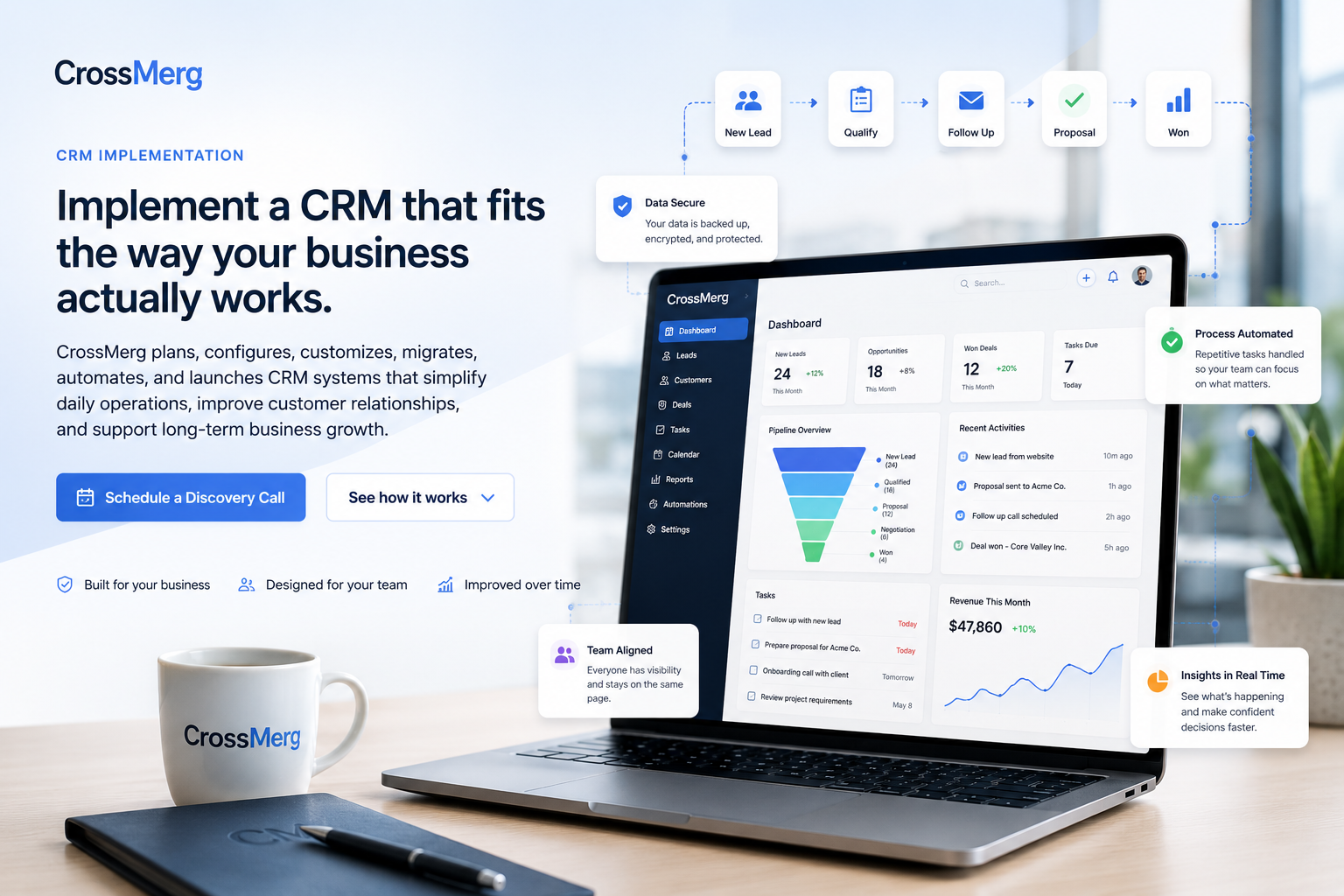
CrossMerg CRM implementation workspace with customer records, workflow automation, project milestones, and reporting indicators

Common CRM challenges

The software is rarely the first problem. The workflow is.

A useful CRM implementation begins by identifying where customer information, ownership, follow-up, reporting, and daily execution are breaking down.

Customer information lives everywhere

Contacts, notes, documents, emails, and follow-up details are spread across inboxes, spreadsheets, phones, and individual memory.

Business impact Teams work from incomplete or conflicting information

Leads fall through the cracks

New opportunities arrive, but ownership, next steps, reminders, and follow-up expectations are not consistently assigned.

Business impact Revenue opportunities are lost without a clear handoff

Work is repeated manually

Staff re-enter information, send the same messages, recreate tasks, and update multiple systems to keep one customer moving.

Business impact Administrative effort grows faster than the business

Customer stages are unclear

Managers and staff cannot quickly see which customers are new, waiting, active, blocked, completed, or ready for another service.

Business impact Priorities depend on meetings and manual status checks

Reporting requires spreadsheets

Important numbers are assembled manually because the system does not consistently capture the activities behind them.

Business impact Decisions are delayed or based on incomplete data

Processes depend on memory

The business knows what should happen next, but those expectations are not translated into repeatable CRM steps.

Business impact Service quality changes depending on who handles the work

Implementation roadmap

How a CRM implementation actually takes shape.

The roadmap turns business goals, customer journeys, staff responsibilities, data requirements, and launch priorities into a controlled implementation sequence.

  1. Phase 01

    Discovery

    We learn how leads, customers, projects, communication, and handoffs currently move through the business.

    Decision focus Understand the current operating reality
    Primary ownership CrossMerg + business stakeholders
    Reviewable deliverable Discovery Brief
  2. Phase 02

    Process Mapping

    We document the current process, friction points, decision stages, ownership rules, and required customer information.

    Decision focus Make workflow, ownership, and exceptions visible
    Primary ownership CrossMerg with process owners
    Reviewable deliverable Process Map
  3. Phase 03

    CRM Design

    We translate the workflow into pipelines, records, fields, statuses, permissions, tasks, and automation rules.

    Decision focus Turn the approved process into system structure
    Primary ownership CrossMerg implementation lead
    Reviewable deliverable CRM Blueprint
  4. Phase 04

    Stakeholder Review

    The proposed system is reviewed in plain language before configuration begins so expectations remain aligned.

    Decision focus Confirm scope before build work begins
    Primary ownership Business decision-makers
    Reviewable deliverable Approved Plan
  5. Phase 05

    Configuration

    CrossMerg configures the CRM, imports approved data, connects workflows, and prepares the operating environment.

    Decision focus Build the approved CRM operating model
    Primary ownership CrossMerg implementation team
    Reviewable deliverable Configured CRM
  6. Phase 06

    Testing & Launch Readiness

    We test records, permissions, automations, notifications, reports, and user paths before launch.

    Decision focus Verify the first release before go-live
    Primary ownership CrossMerg + launch stakeholders
    Reviewable deliverable Launch Checklist

CRM configuration

Turn the approved workflow into a practical daily workspace.

Configuration translates the implementation plan into the records, views, permissions, pipelines, tasks, communication, and management visibility the team will use every day.

Configuration domain

Customer foundation

Create one dependable place for customer context, history, and business-specific information.

Customer records

Organized contact, company, communication, document, and activity history in one dependable customer view.

Custom fields

Business-specific information captured consistently without forcing the team into a generic record structure.

Configuration domain

Workflow execution

Translate the approved process into visible stages, ownership, next steps, and accountability.

Sales pipelines

Clear stages, ownership, expected actions, and visibility from first inquiry through approval and handoff.

Tasks and follow-up

Assigned next steps, due dates, reminders, and accountability connected directly to the customer record.

Configuration domain

Team access

Give each role the right level of access while keeping responsibilities and sensitive information clear.

Roles and permissions

Practical access rules that show each staff member what they need while protecting sensitive information.

Notifications

Useful alerts for ownership changes, stalled work, approvals, deadlines, and important customer activity.

Configuration domain

Communication + visibility

Connect customer communication and operational reporting to the same daily activities the team already completes.

Email integration

Customer communication connected to the CRM so important context is easier for the team to find.

Dashboards and reports

Operational visibility built from the same activities the team completes during normal daily work.

Data migration

Move useful customer history without carrying unnecessary disorder forward.

Migration is treated as a controlled business process—not a blind upload. Source data, field mapping, cleanup decisions, testing, validation, and cutover responsibilities are defined before go-live.

  1. 01

    Collect source data

    We identify approved spreadsheets, exports, systems, and record types that should move into the new CRM.

    Checkpoint Approved source list
  2. 02

    Clean and organize

    Fields are mapped, inconsistent values are normalized, and avoidable duplicates are identified before import.

    Checkpoint Field map + cleanup decisions
  3. 03

    Test the import

    A controlled sample is reviewed before the complete migration so formatting and relationships can be verified.

    Checkpoint Sample import approval
  4. 04

    Validate the records

    Counts, key fields, ownership, dates, and linked information are checked against the approved source data.

    Checkpoint Validation sign-off
  5. 05

    Prepare go-live

    The final migration window, freeze point, access plan, and cutover responsibilities are clearly defined.

    Checkpoint Cutover readiness

Workflow automation

Automate the repeatable steps while keeping important decisions visible.

A useful automation follows an approved business rule, records what happened, assigns responsibility, and keeps exceptions visible instead of hiding them inside the system.

  1. 01

    Lead submitted

    A new inquiry enters the CRM with its source and customer details.

    System Capture the record
    Human Review context when needed
  2. 02

    Owner assigned

    The correct staff member receives responsibility based on the approved routing rule.

    System Apply the routing rule
    Human Own the customer relationship
  3. 03

    Response sent

    The customer receives the appropriate acknowledgement or next-step message.

    System Send the approved response
    Human Handle nuance and exceptions
  4. 04

    Task created

    A follow-up action, due date, and CRM context are added automatically.

    System Create the next action
    Human Complete the work
  5. 05

    Reminder triggered

    The owner is notified if the required action has not been completed.

    System Surface the missed step
    Human Decide how to respond
  6. 06

    Visibility updated

    The activity and stage change become available in team and management reporting.

    System Update operational visibility
    Human Use the signal to manage work

User training and adoption

A CRM only creates value when the team can use it confidently.

Training, practical documentation, realistic practice, launch support, and follow-up refinement turn the configured system into a dependable daily habit.

Role-based training

Training focuses on the actual screens, records, and responsibilities each user will handle.

Readiness signal Users know where their work starts and ends

Practical documentation

Plain-language guidance supports the approved process without burying the team in technical manuals.

Readiness signal Reference material matches the live process

Guided practice

Users complete realistic CRM scenarios before launch so questions surface while support is close by.

Readiness signal Common scenarios are completed successfully

Launch support

The team has a clear path for questions, corrections, and adoption issues during the transition.

Readiness signal Users know where to get help

Usage review

CrossMerg reviews where the system is working well and where steps need clarification or refinement.

Readiness signal Friction is identified from real usage

Ongoing optimization

The CRM can evolve as services, staff, reporting needs, and customer expectations change.

Readiness signal The operating model stays current

Launch and continuous improvement

Go live with a controlled first release—then improve from real usage.

Launch begins the operating lifecycle. The CRM is monitored, refined, expanded, and optimized in deliberate stages so the system stays aligned with the business instead of drifting away from it.

  1. 01

    Lifecycle stage 01

    Launch

    Approved users, records, workflows, permissions, and training move into the live operating environment.
    Operational goal Start with a controlled first release
    Decision focus Confirm access, workflow, data, and user readiness
  2. 02

    Lifecycle stage 02

    Monitor

    We watch for friction, questions, missed notifications, unexpected behavior, and data-quality issues.
    Operational goal See where real usage differs from assumptions
    Decision focus Identify friction early without overreacting
  3. 03

    Lifecycle stage 03

    Refine

    Fields, wording, views, reminders, and process details are adjusted where real usage shows a better path.
    Operational goal Improve usability and process clarity
    Decision focus Fix recurring friction at the source
  4. 04

    Lifecycle stage 04

    Expand

    Additional teams, workflows, integrations, reports, and customer journeys can be introduced deliberately.
    Operational goal Add capability without destabilizing the core
    Decision focus Expand only after the foundation is working
  5. 05

    Lifecycle stage 05

    Optimize

    Manual steps are reviewed for safe automation and unnecessary complexity is removed over time.
    Operational goal Reduce effort while preserving control
    Decision focus Automate proven repetition, not uncertainty
  6. 06

    Lifecycle stage 06

    Grow

    The CRM remains aligned with the business instead of becoming another rigid system the team works around.
    Operational goal Keep the operating model aligned with change
    Decision focus Evolve the CRM as the business evolves

Practical business outcomes

Create a clearer operating rhythm for the team and a more consistent experience for customers.

The exact results depend on the business and starting point, but every implementation aims to reduce unnecessary administration, improve follow-up, strengthen visibility, and make important processes more repeatable.

Less manual administration

Routine assignments, reminders, updates, and follow-up steps require less repeated staff effort.

Before Repeated manual coordination
After Approved repeatable steps handled consistently
Faster customer follow-up

New inquiries and important status changes reach the right person with a clear next action.

Before Follow-up depends on memory or inbox checks
After Ownership and next actions become visible sooner
Clearer operational visibility

Teams and managers can see customer stage, ownership, activity, workload, and emerging bottlenecks.

Before Status is assembled through meetings or spreadsheets
After Daily activity creates usable operational visibility
More consistent processes

The CRM reinforces the approved customer experience instead of leaving every step to memory.

Before Process quality varies by person
After The approved workflow becomes easier to repeat

Questions before you start

Choose the right kind of CRM improvement before you start configuring.

CRM Implementation is the right starting point when the system, workflow, migration, ownership, automation, training, or launch foundation still needs to be designed or rebuilt. This guide helps separate that need from adjacent CrossMerg services.

Service decision guide

Which CrossMerg service is closest to the problem you are trying to solve?

Start here

CRM Implementation

Choose this when the CRM needs to be planned, configured, migrated, launched, or rebuilt around an approved business workflow.

After launch

Managed CRM Services

Choose this when the CRM is already live but needs dependable ongoing administration, governance, user support, and improvement.

Focused workflow

Workflow Automation

Choose this when the main problem is repeated manual work inside an otherwise workable process and CRM environment.

Visibility gap

Reporting & Business Intelligence

Choose this when the system is operating but leaders need clearer metrics, reporting, trends, exceptions, forecasts, or decision support.

Frequently asked questions

Practical answers about implementation, migration, automation, training, integrations, and launch.

If your situation crosses more than one service area, that is normal. We can start with the operating problem and determine which foundation or improvement should come first.

Can CrossMerg implement a CRM for an existing business process?

Yes. The implementation begins by reviewing how your business currently handles leads, customers, communication, projects, tasks, and handoffs. The CRM is then configured around the approved workflow rather than forcing the team into an unrelated generic process.

Can you migrate our current customer data?

Yes. CrossMerg can review approved spreadsheets and supported system exports, map fields, identify obvious data-quality issues, test the import, and validate the migrated records. The exact migration scope depends on the source systems and the condition of the data.

Will you automate our entire process immediately?

Not automatically. We first stabilize the process and confirm ownership, timing, exceptions, and expected outcomes. Automation is added where it reduces repeated work without hiding important decisions or creating unnecessary risk.

How do you help employees adopt the CRM?

The implementation includes role-based training, guided practice, practical documentation, launch support, and follow-up refinement. The goal is not only to configure the software but to help the team use it consistently.

Can the CRM connect with our other business tools?

Potentially. Integration options depend on the other system, its available API or export capabilities, security requirements, and the business value of the connection. CrossMerg reviews integrations individually rather than promising unsupported connections.

What happens after the CRM goes live?

CrossMerg can continue supporting, monitoring, refining, and expanding the system. Real usage often reveals useful improvements to fields, views, automations, permissions, reporting, and training.

How long does a CRM implementation take?

The timeline depends on process complexity, data condition, required integrations, number of users, approval speed, and training needs. A discovery call is used to define the likely phases and the most practical first release.

A practical first conversation

Start with the workflow you have—not a predetermined CRM design.

We can review how leads, customers, handoffs, data, follow-up, reporting, and team responsibilities work today, then identify the most useful implementation starting point.

No forced platform replacement No blind data migration No need to automate everything at once

What we can review together

01

Review the current customer journey, systems, spreadsheets, handoffs, and recurring friction.

02

Identify the workflow, ownership, migration, automation, or adoption decisions that need clarity first.

03

Define a practical first implementation release without forcing unnecessary complexity.

When you are ready, the next step is simply to talk through the workflow and systems you have today.

CRM Implementation

Build a CRM foundation your team can actually operate.

Bring us the workflow, systems, customer data, and operating challenges you have today. We will help identify what should be implemented first and what can wait until the foundation is working.

Why businesses trust CrossMerg

Practical systems. Clear ownership. Human support.

We help teams improve the client experience without adding unnecessary complexity, forcing a large migration, or losing sight of how the business actually works.

Practical value

Why teams choose CrossMerg

  • Fewer status calls because clients can see what’s happening.
  • Faster approvals because the next step is obvious.
  • Cleaner payments because invoices have context and history.
  • A more professional client experience without enterprise complexity.

Founder perspective

A note from the founder of CrossMerg

If you tell us what your clients struggle with today — approvals, payments, scheduling, status updates, or disconnected processes — we’ll recommend the smallest practical step that can make a meaningful difference.

We focus on improvements teams can actually adopt, not abstract features that look impressive in a demo but create more complexity in day-to-day operations.

Our starting point Find the smallest practical improvement that creates meaningful value.

How we work

How we build better client experiences

Client-first language

We translate internal workflow into simple client-facing steps that reduce friction.

Lightweight rollout

Start with one feature before rolling out deeper portal options.

Works with your reality

We respect your team size, tools, and capacity — no forced big-bang migrations.

Start small and expand later. No long-term contracts or surprise fees. Built and supported by a small, US-based team.