Requests arrive through too many channels
Email, forms, calls, chat, and spreadsheets create inconsistent entry points and make ownership difficult to establish.
Business impact
New work waits for someone to notice it
Process Design • Routing • Notifications • Approvals • Optimization
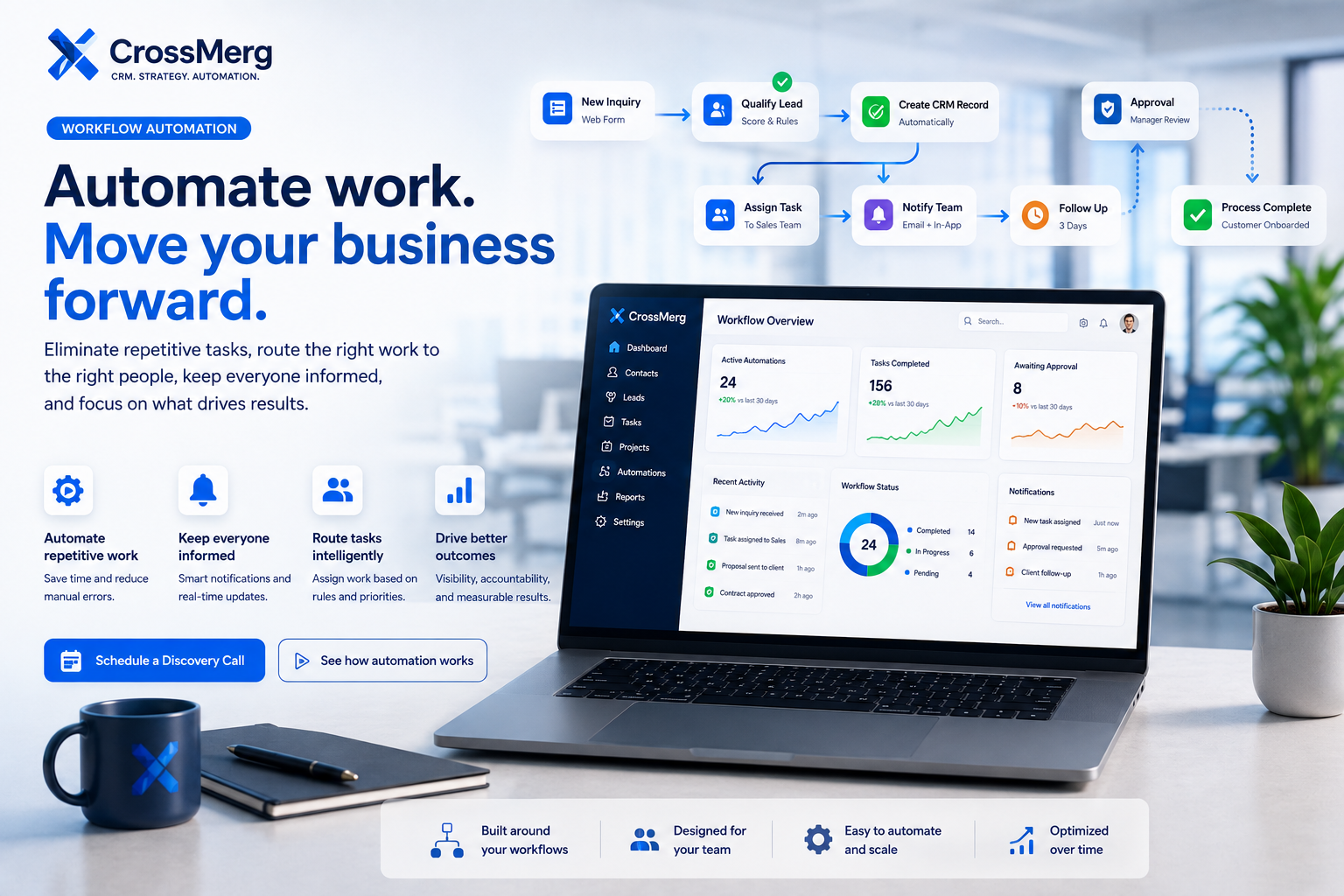
CrossMerg designs practical automation that moves work forward, keeps the right people informed, preserves human judgment, and gives teams more time for higher-value decisions.
Where manual work slows teams down
Automation begins by identifying where work waits, repeats, changes hands, loses context, or depends too heavily on memory.
Email, forms, calls, chat, and spreadsheets create inconsistent entry points and make ownership difficult to establish.
People re-enter information, create routine tasks, send standard updates, and copy status details between systems.
Work moves between sales, service, operations, and management without a dependable routing rule or visible handoff.
Follow-up, review dates, renewal windows, and customer commitments are tracked manually or not tracked at all.
Staff receive too many low-value alerts while important exceptions and stalled work are difficult to identify.
The expected workflow exists in individual habits rather than in a shared, reviewable operating sequence.
Automation opportunities
The strongest opportunities have a clear trigger, defined ownership, known timing, understandable rules, and a useful outcome.
Create a consistent entry point, validate required information, identify the source, and begin the correct process automatically.
Assign work by service, geography, availability, account type, workload, or another approved business rule.
Generate the next action, due date, instructions, related customer context, and responsible owner at the right moment.
Send acknowledgements, reminders, confirmations, and status messages without requiring repetitive manual drafting.
Pause automation for pricing, exceptions, sensitive decisions, or commitments that require accountable human judgment.
Update records and dashboards as work progresses so managers can see activity without requesting manual status reports.
Notify the right person when work is overdue, blocked, unassigned, or approaching an important service deadline.
Move approved information between connected tools where supported and where the connection creates clear business value.
Business workflow design
The blueprint translates a real business process into a reviewable sequence of triggers, decisions, responsibilities, timing, exceptions, and outcomes.
Clear trigger
Defined owner
Known timing
Visible exception
Review how the process works today, including entry points, decisions, handoffs, delays, exceptions, and reporting needs.
Identify which repeated steps create the most delay, risk, inconsistency, or unnecessary administrative effort.
Document triggers, conditions, owners, timing, data requirements, approvals, and expected outcomes in plain language.
Translate the approved process into a visible sequence of actions, decisions, notifications, pauses, and completion states.
Run realistic scenarios, including exceptions and incomplete information, before the workflow is introduced to daily operations.
Release the workflow in a controlled form, monitor real usage, and refine steps that create confusion or unnecessary friction.
Smart task routing
Routing connects intake, business rules, responsibility, timing, and visibility so work does not depend on someone manually forwarding it.
A form, lead, support request, order, status change, or internal event begins the workflow.
Required data, service type, customer details, urgency, and routing conditions are evaluated.
The workflow follows the approved branch based on the information available at that point.
Responsibility is given to the appropriate person, role, queue, or team.
The responsible person receives a clear task, due date, instructions, and related context.
The assignment and workflow state become visible for staff and management reporting.
Filter
Use approved criteria
Route
Select the right path
Assign
Make ownership visible
Track
Record the outcome
Smart notifications and alerts
Effective notifications explain what happened, why it matters, who owns the response, and when action is required.
Notify a responsible person when a high-value request, urgent issue, approval need, or important status change occurs.
Send reminders before deadlines and follow-up dates rather than relying on individual calendars or memory.
Escalate work that is overdue, unassigned, blocked, incomplete, or outside an approved operating threshold.
Send each alert only to the people who need to know, reducing noise and improving accountability.
Include the customer, record, action, deadline, and reason for the notification so staff can respond without searching.
Consolidate routine updates and reserve immediate alerts for events that genuinely require attention.
Human approvals and exception handling
A dependable workflow knows when to continue automatically, when to pause, and when to place responsibility back in human hands.
Automation should support accountability. CrossMerg does not hide sensitive decisions behind generic rules when review, explanation, or professional judgment is more appropriate.
Require review when a quote, discount, refund, or commercial commitment exceeds an approved limit.
Pause the process when legal, privacy, service, or reputational considerations require context.
Route unclear or conflicting data to a person instead of allowing the automation to make an unsupported assumption.
Keep decisions involving negotiation, prioritization, relationship management, or unusual circumstances visible to staff.
Provide a clear path for correction, reassignment, retry, or manual completion when the standard workflow cannot continue.
Visible
Every pause has a reason
Accountable
Every decision has an owner
Recoverable
Every exception has a next step
Continuous optimization
Automation should remain reviewable and adjustable as staff, services, customer expectations, and connected systems change.
Launch the approved workflow with a defined scope and known owners.
Review actual completion paths, response times, failures, and user questions.
Compare workload, delay, completion, exceptions, and service visibility.
Adjust wording, timing, routing, notifications, and approval thresholds.
Introduce additional teams, decisions, systems, or customer journeys deliberately.
Keep the automation aligned as the business, staff, and customer expectations change.
Practical business outcomes
The exact results depend on the workflow and starting point, but each automation should reduce unnecessary effort, clarify responsibility, improve timing, and make service delivery more consistent.
Less
Routine assignments, reminders, acknowledgements, task creation, and updates require less repeated staff effort.
Faster
Work progresses as soon as approved conditions are met instead of waiting for a manual handoff.
Clearer
Each workflow state identifies who owns the next action, when it is due, and what happens if it stalls.
More
Customers receive a more dependable experience because routine steps follow the same approved process.
Faster handoffs
Clearer ownership
Smarter alerts
Better visibility
Workflow automation questions
The strongest first workflow has a clear trigger, understandable rules, visible ownership, known exceptions, and a useful outcome. These questions help determine where automation should begin—and where human judgment should remain.
Automation decision guide
A focused intake, assignment, follow-up, approval, or status workflow is usually easier to validate before expanding automation.
Pricing exceptions, sensitive customer decisions, negotiation, and unusual situations should remain visible to accountable staff.
APIs, webhooks, exports, security requirements, and business value determine whether a system handoff should be automated.
Explore IntegrationsReal usage reveals better timing, clearer routing, missing exceptions, and the next automation opportunity worth pursuing.
Common opportunities include intake, lead assignment, task creation, follow-up reminders, customer acknowledgements, internal notifications, approval requests, status updates, escalations, reporting updates, and supported handoffs between connected systems. The best candidates are repeatable processes with clear rules and meaningful business value.
Not always, but a dependable system of record usually makes automation easier to manage and audit. CrossMerg can review your current tools and recommend whether the workflow should be built inside an existing CRM, connected across supported systems, or simplified before automation begins.
The goal is to reduce repetitive administration, not replace human judgment. CrossMerg focuses on routing, reminders, acknowledgements, task creation, status changes, and reporting while preserving people for decisions that require context, relationships, negotiation, or professional responsibility.
Workflow rules are documented and tested before launch. Important decisions can be routed to human approval, incomplete information can create an exception path, and the workflow can record what happened so errors are easier to identify and correct.
Potentially. Integration depends on the available API, webhook, export, or supported connector; the security requirements; and the business value of the connection. CrossMerg reviews each system individually and does not promise unsupported integrations.
Yes. A focused first workflow is often the best starting point because it allows the business to validate the process, adoption, reporting, and practical value before expanding automation into additional areas.
CrossMerg can monitor usage, review exceptions, refine timing and notifications, adjust routing and approval rules, improve reporting, and expand the workflow as the business learns from real operation.
A practical first conversation
We can review how the work starts, who owns each step, what information moves between people or systems, where delays or duplicate effort appear, and which exceptions still need human judgment.
What we can review together
Identify the trigger, inputs, people, systems, and expected outcome for one real workflow.
Map routing rules, handoffs, approvals, timing, notifications, and the exceptions that should remain visible.
Choose the smallest automation improvement that can be measured, reviewed, and expanded with confidence.
When you are ready, the next step is simply to walk through one workflow that is costing time, creating uncertainty, or relying too heavily on manual follow-up.
Bring us the manual steps, handoffs, approvals, reminders, routing decisions, and system connections that are consuming time today. We will help identify the most practical place to automate first.
Why businesses trust CrossMerg
We help teams improve the client experience without adding unnecessary complexity, forcing a large migration, or losing sight of how the business actually works.
Practical value
Founder perspective
How we work
Client-first language
We translate internal workflow into simple client-facing steps that reduce friction.
Lightweight rollout
Start with one feature before rolling out deeper portal options.
Works with your reality
We respect your team size, tools, and capacity — no forced big-bang migrations.