The same information is entered more than once
Customer, order, billing, project, or service details are copied manually from one system into another.
Business impact
Duplicate work increases errors and slows the team down.
Systems • Data Flow • Sync • Reliability • Operations
CrossMerg helps move customer, sales, service, billing, project, and operational information between the right systems—without unnecessary duplicate entry, disconnected records, or fragile manual handoffs.
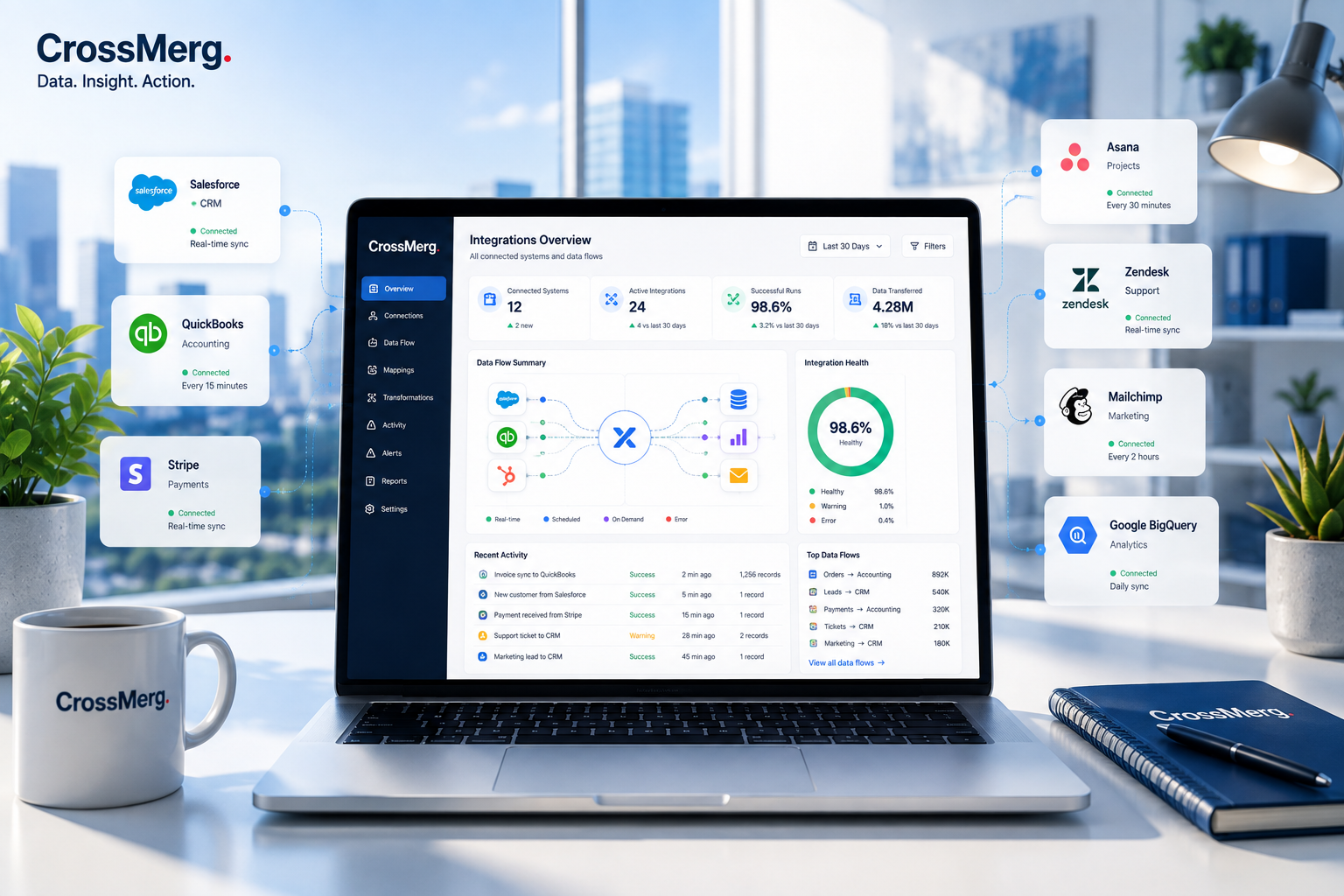
When business systems stop talking to each other
The problem is rarely that a business uses multiple tools. The problem is that important information does not move between those tools reliably enough to support the next person, process, or decision. Once the connection is dependable, Workflow Automation can help move repeatable work forward without rebuilding the handoff manually.
Customer, order, billing, project, or service details are copied manually from one system into another.
Sales sees one part of the customer story, service sees another, and finance or operations may have the rest.
A person has to export, re-key, copy, forward, or reconcile information before the next team can continue.
Different platforms hold different versions of customer, status, ownership, or transaction information.
A lead converts, a payment arrives, a project changes, or a service issue closes—but another system never receives the update.
Quick fixes work initially but lack validation, logging, retry behavior, ownership, or a clear maintenance path.
Build a connected systems foundation
CrossMerg defines where information belongs, what should move, when it should move, and how success or failure should be handled before choosing the technical connection.
Start with the information that must move, the event that should trigger it, and the business outcome the connection supports.
Decide which platform owns each important type of information so connected systems do not compete to be the source of truth.
Connect only the fields, statuses, identifiers, dates, and relationships each destination actually needs.
Check formats, required values, matching rules, and duplicate conditions before the data is written elsewhere.
Clarify direction, timing, update rules, conflict handling, and what should happen when a record changes.
Add logging, retries, reconciliation, ownership, and a practical way to diagnose failed or incomplete transactions.
From disconnected tools to connected operations
The connection should make it clear where information came from, how it was checked, where it went, whether it arrived successfully, and what the business can do next.
Connected transaction path
Identify the system that owns the information and the business event that starts the handoff.
Use the simplest dependable connection—native integration, API, webhook, middleware, or custom connector.
Check required fields, identities, formats, duplicates, and conditions before the information moves.
Move or update the correct records using defined direction, timing, and change rules.
Send the information to the correct destination, owner, workflow, or business process.
Record success, capture failures, and make reconciliation possible when something does not complete.
Let the connected information support the next customer, sales, service, financial, or operational action.
Integration architecture & system-of-record strategy
CrossMerg defines which system owns each important type of information, what other systems are allowed to receive, and how updates should move without creating conflicting versions of the truth. When customer information needs one dependable operating home, that role often belongs in Customer Relationship Management.
System ownership map
Contacts, accounts, opportunities, relationship ownership, lifecycle stage, and customer-facing history.
Invoices, payments, balances, accounting status, tax, and financial transaction history.
Project status, milestones, assigned work, completion dates, delivery progress, and operational execution.
Cases, tickets, service status, escalations, response times, resolutions, and customer support history.
Campaign activity, form submissions, audience engagement, source attribution, and marketing interactions.
Field mapping, routing, validation, synchronization logic, retries, logs, and confirmation of data movement.
Architecture rules
Define which system is authoritative before deciding what should sync elsewhere.
Avoid copying entire databases when only a small set of fields supports the downstream process.
Connect records with reliable IDs or matching rules so updates reach the correct customer, invoice, project, or case.
One-way and two-way synchronization should be intentional, with conflict behavior understood before launch.
Document field conversions, status mappings, calculated values, and other changes made while data moves.
Every important integration needs a clear person or team responsible for reviewing and resolving failures.
Architecture outcome
That gives every connected system enough context to do its job without blurring where the authoritative business record actually lives.
Customer, sales & service integrations
CrossMerg helps customer, sales, service, and delivery systems exchange the specific information each team needs so work can continue with context instead of manual re-entry.
Customer-lifecycle handoff model
Move the customer details, ownership, lifecycle status, and service context other teams need without duplicating the entire CRM record.
Pass qualified opportunities, won deals, contract details, products, or next-step information to the systems responsible for fulfillment or billing.
Surface open issues, escalations, response conditions, and service outcomes where account owners can understand the full customer situation.
Translate a sale or approved customer request into project, task, fulfillment, or delivery context without manual re-entry.
Practical handoff examples
Handoff rule: move enough information for the receiving team to continue confidently without duplicating ownership of the full record.
Customer-experience principle
Connected handoffs help teams respond with current context even when sales, service, finance, and delivery each use different tools behind the scenes.
Finance, billing & operational integrations
CrossMerg connects customer and operational events to the systems responsible for invoicing, payments, fulfillment, and reconciliation—while keeping the authoritative financial record where it belongs.
Financial-control workspace
Use won deals, approved orders, milestones, subscriptions, or completed work to prepare the next billing step without manual re-entry.
Make paid, failed, overdue, refunded, or pending payment conditions visible to customer, sales, service, or operational teams.
Pass the correct order, product, location, customer, and delivery details to fulfillment or operational systems when work is ready to begin.
Use consistent IDs, statuses, and confirmation logic so finance and operations can reconcile the same business event with less spreadsheet work.
Operational money flow
A deal closes, order is approved, milestone completes, or subscription changes.
The billing or payment system receives only the customer and transaction details it needs.
Payment, balance, invoice, or fulfillment status is written back where operational teams can use it.
Failed, unmatched, overdue, or incomplete transactions move into a review path instead of disappearing silently.
Operating rule: pass status and context back to the teams that need it, while preserving the accounting platform as the authoritative place for financial records.
Financial integration guardrails
Integrations can move context and status, but the financial platform should remain authoritative for invoices, payments, balances, and accounting records.
Use invoice, payment, order, subscription, or project IDs so downstream updates can be matched reliably.
Confirm required customer, pricing, tax, currency, and billing data before writing financial transactions.
Keep enough logging and status history to understand what moved, when it moved, and whether it completed successfully.
Finance & operations principle
That separation reduces duplicate entry while preserving clearer reconciliation, accountability, and financial control.
APIs, webhooks & custom connectors
CrossMerg chooses the connection method based on what needs to move, how quickly it must happen, how much control is required, and how maintainable the solution needs to be—not on which technology sounds most advanced.
Connection-method decision framework
Native integrations are often the fastest and lowest-maintenance option when they support the required fields, direction, timing, and reliability.
Webhooks are useful when one system can notify another that an event occurred—such as a new payment, status change, submission, or completed action.
APIs provide more control when the integration needs to search records, create objects, update fields, retrieve status, or coordinate several steps.
Integration platforms can provide triggers, routing, transformations, retries, and reusable workflows between common business applications.
Custom code can handle specialized rules, unsupported systems, unusual authentication, complex transformations, or workflows that exceed packaged connectors.
Connection decision factors
What information must move, what event starts it, and what outcome depends on the connection?
Does the data move one way, both ways, or only after a specific event or approval?
Does the update need to happen immediately, on a schedule, or only when requested?
What must be checked or transformed before the destination accepts the data?
What happens if the destination is unavailable, the record is invalid, or the transaction partially completes?
Who will own updates when vendors change APIs, fields, authentication, limits, or integration behavior?
Preferred connection path
Check whether an existing vendor integration meets the requirement cleanly.
Use direct platform capabilities when more control or event handling is needed.
Use an integration platform when orchestration and maintainability improve the solution.
Write custom code only when the business requirement genuinely justifies it.
Decision rule: complexity should solve a real requirement—never become the requirement itself.
Connection-method principle
The best integration is the one that meets the requirement reliably, remains understandable, and can still be supported after the initial build is complete.
Integration reliability, monitoring & error handling
CrossMerg designs important integrations so teams can tell what completed, what is delayed, what failed, and who needs to act when normal processing does not finish as expected.
Capture enough status information to distinguish successful movement from queued, delayed, rejected, or failed transactions.
Retry transient errors deliberately without creating duplicate customers, invoices, tasks, payments, or other downstream records.
Route invalid, unmatched, incomplete, or repeatedly failed records into a visible review path with useful context.
Record identifiers, timestamps, direction, outcome, and relevant error details so teams can troubleshoot and reconcile efficiently.
Reliable transaction path
The integration receives an event, scheduled job, API request, or queued transaction.
Required data, matching identifiers, permissions, and business rules are checked before the action proceeds.
The destination response and resulting record are confirmed rather than assuming the request completed.
Temporary failures follow controlled retry rules that protect against duplicate processing.
Persistent or business-rule failures become visible to the person responsible for resolving them.
Reliability principle
A dependable integration should make unsuccessful transactions discoverable, provide enough context to investigate them, and define a safe path to retry, reconcile, or resolve the underlying issue.
Practical business outcomes
The value of connected systems is not the number of APIs or workflows behind them. It is the reduction in repeated work, unclear handoffs, conflicting records, hidden failures, and delays across everyday operations.
Operational improvement model
Move approved information between systems instead of asking teams to retype the same customer, sales, service, or operational details.
Give the next team the context it needs at the moment ownership or responsibility changes.
Use defined ownership, matching rules, and field mappings to reduce conflicting versions of important business information.
Let meaningful events trigger the next action without waiting for someone to notice and manually move the information.
Surface failed, delayed, unmatched, or incomplete transactions so problems can be addressed before they become larger customer or operational issues.
Make the right customer, financial, service, and delivery status available where teams already work.
From disconnected to connected
Teams copy the same information into multiple systems.
Approved information moves through defined handoffs.
People discover status changes by email, chat, or manual checks.
Important events update the systems and owners that need to know.
Conflicting records make it unclear which value is correct.
System-of-record ownership makes authoritative data easier to identify.
Integration failures remain hidden until someone notices a downstream problem.
Exceptions become visible with a defined review and recovery path.
Useful measures
How long does it take for an approved event to reach the next system or owner?
How many repeated entries, copy-and-paste steps, or reconciliation tasks remain?
What percentage of important integration transactions complete successfully?
How often do records fail, mismatch, duplicate, or require manual intervention?
Outcome principle
The strongest integrations become quiet infrastructure: information arrives where it belongs, teams understand what happened, and exceptions stand out when attention is actually required.
Questions before you connect systems
The right solution depends on what information needs to move, which system owns it, what event should trigger the handoff, and how much reliability, timing, and maintenance the business actually requires.
Frequently asked questions
When several integration approaches could work, CrossMerg starts with the simplest dependable option that supports the actual business handoff.
Not necessarily. Integrations are often most valuable when they help the systems you already rely on exchange the right information more consistently. We start by understanding the business handoff, system ownership, and available connection methods before recommending replacement.
A system of record is the authoritative place for a specific type of business information. Defining that ownership helps prevent multiple systems from competing to maintain the same customer, financial, project, service, or operational record.
A webhook is useful when one system needs to notify another that an event happened. An API is useful when the integration needs to read, create, search, or update information with more control. Many dependable integrations use both.
Duplicate prevention starts with clear matching identifiers and ownership rules. Depending on the systems involved, that may include durable record IDs, transaction IDs, email or account matching, lookup-before-create logic, and idempotent retry behavior.
Important integrations should make failures visible. We can define logging, retry rules, exception handling, reconciliation, and ownership so unsuccessful transactions can be investigated instead of silently disappearing.
No. Two-way synchronization should be used only when both systems genuinely need authority to update the same information. In many cases, a clear one-way flow is simpler, safer, and easier to maintain.
Yes, when the requirement justifies it. We prefer the simplest dependable method first—native integration, webhook, API, or middleware—and use custom connector development when those options cannot meet the business requirement reliably.
They can. Vendors change APIs, authentication, fields, limits, and product behavior over time. Important integrations should have clear ownership, documentation, and a maintenance path so changes can be handled without disrupting the operation.
Integration decision principle
That is usually more valuable than connecting more systems, synchronizing more fields, or introducing a more complicated technical layer than the business actually needs.
A practical first conversation
We can review where information currently stops, gets re-entered, becomes inconsistent, or fails silently—and identify the simplest dependable connection worth solving first.
What we can review together
Identify the systems, business event, and handoff that are creating the most operational friction.
Clarify which platform should own the important record and what context other systems actually need.
Choose the simplest dependable connection method and define validation, failure visibility, and maintenance expectations.
When you are ready, the next step is simply to talk through the systems and handoff creating the most friction today.
Bring us the systems and handoffs that are creating friction. We will help define what should move, who should own the record, and the simplest dependable connection path.
Why businesses trust CrossMerg
We help teams improve the client experience without adding unnecessary complexity, forcing a large migration, or losing sight of how the business actually works.
Practical value
Founder perspective
How we work
Client-first language
We translate internal workflow into simple client-facing steps that reduce friction.
Lightweight rollout
Start with one feature before rolling out deeper portal options.
Works with your reality
We respect your team size, tools, and capacity — no forced big-bang migrations.